How to Market Your Business on Facebook: A Practical Step-by-Step Guide
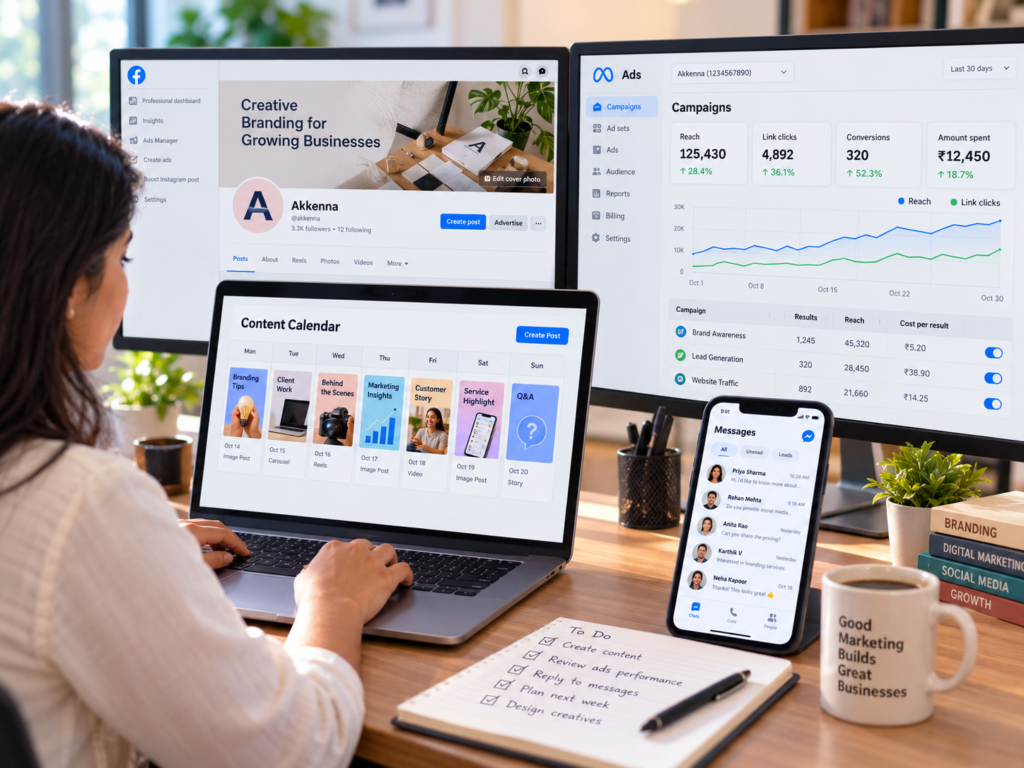
Facebook isn’t the newest platform, but for many businesses it’s still one of the most useful. It reaches a wide mix of ages, it’s well suited to local communities, it supports everything from posts and videos to events, groups, messaging, and ads, and it connects directly to Meta’s advertising tools.
This guide explains how to market your business on Facebook, from setting up a Page properly to creating content, building community, running ads, handling messages, and measuring results. It’s written for small and mid-sized businesses, with notes for local and online businesses alike.
A quick note: Facebook’s features, ad tools, and policies change often. Use this guide for principles and check Meta’s current help pages before relying on any specific setting or feature.
Why Businesses Still Use Facebook for Marketing
Facebook can work for a business in several ways:
- Discovery: People can find your Page through search, shares, recommendations, groups, and ads.
- Local visibility: A complete Page with address, hours, contact details, and reviews helps nearby customers check you out.
- Community: Groups and comments let you build a space for customers to ask questions and share experiences.
- Content variety: You can post text, photos, videos, Reels, Stories, events, and links.
- Messaging: Customers can message you directly, which is useful for enquiries and bookings.
- Targeted advertising: Paid tools let you reach specific audiences by location, interests, behaviour, and more.
Whether it’s the right platform for you depends on where your customers spend time. Ask your existing customers which platforms they use, and check your own audience data before investing heavily.
Step 1: Set Clear Goals
Decide what you want Facebook to do for the business. Common goals include:
- Getting more local customers or footfall
- Generating enquiries, bookings, or leads
- Selling products online
- Building brand awareness
- Growing a community
- Promoting events or launches
- Supporting customer service
Choose one or two main goals and make them measurable, such as enquiries per month or website visits from Facebook. Your goals shape your content, your calls to action, and whether paid ads make sense. Our guide [How to Create an Effective Social Media Strategy] explains how to link goals to a full plan.
Step 2: Set Up Your Facebook Business Page Properly
A Page is your business’s public presence on Facebook. A complete, consistent Page builds trust quickly. Make sure it includes:
- Page name and username: Use your actual business name so people can find you.
- Profile picture: Usually your logo, which should be clear at a small size.
- Cover image or video: Show your products, team, or brand in a way that fits your positioning.
- Category and description: Explain clearly what you do and who you serve.
- Contact details: Phone, email, website, address, and opening hours.
- Call-to-action button: Such as message, call, book, or visit website, depending on your goal.
- Services or products: List what you offer where Facebook allows it.
- Pinned post or featured content: Use it for an offer, announcement, or introduction.
Your Page should look like the rest of your brand. A consistent brand identity with a recognisable logo, colour palette, and typography makes your profile, cover, and posts feel like part of the same business, and a well-made logo works at profile-picture size as well as on signage.
Step 3: Know Your Audience
Facebook marketing works best when you know who you’re trying to reach. Define:
- Who your best customers are, including age range, location, and interests
- What problems they want solved or what they care about
- What questions they ask before buying
- What content they already engage with
Use customer conversations, enquiries, reviews, and your Page’s own insights to refine this. A local café, a B2B supplier, and an online fashion store each need a very different approach, even on the same platform.
Step 4: Define Your Brand Voice and Message
Your Page should sound like a business with a point of view, not an anonymous noticeboard. Decide:
- What you stand for and what makes you different
- How you want to sound, such as friendly, expert, or premium
- What topics you’ll talk about regularly
A clear brand strategy gives you consistent positioning and messaging to bring into every post, ad, and reply.
Step 5: Plan Your Content
A content plan keeps you consistent and prevents the “what should we post today?” scramble. Pick three to five content themes, for example:
- Educational: tips, guides, and how-tos related to your field
- Product or service: features, results, demonstrations, and offers
- Behind the scenes: your team, process, and workplace
- Proof: customer reviews, testimonials, and case studies
- Community and personality: local involvement, values, events, and humour that suits your brand
- Promotions and updates: launches, sales, holidays, and announcements
Then match formats to goals. A documented content strategy links topics, formats, and schedule to your business goals, so you’re not just posting for the sake of it.
Step 6: Create Content That Works on Facebook
Video and Reels
Video is a strong format on Facebook, particularly short vertical videos. Use videos to show products in use, explain how something works, share customer stories, or give a tour of your premises. Keep the opening strong, add captions because many people watch without sound, and end with a clear next step.
Different video styles suit different needs. Creator-style UGC videos feel authentic and work well in feeds and ads, while an animated 2D explainer video can simplify a service or process. For how to produce good video in-house, see [How to Make Professional Videos for Business].
Photos and carousels
High-quality product, team, and customer photos work well, as do multi-image posts that tell a short story or compare options. Use clear, well-lit images and keep a consistent visual style. Reusable templates and consistent graphic design assets help your posts look cohesive.
Text and link posts
Short, useful text posts can generate conversation. When sharing links, write a clear intro explaining why the link is worth clicking, and check that the page you’re sending people to loads quickly and works on mobile.
Stories
Stories are suited to quick updates, behind-the-scenes moments, and daily offers. They’re casual and low-pressure, so you can post more often without the polish of a feed post.
Events
If you run workshops, sales, launches, or in-store activities, use Facebook Events to promote them, collect interest, and remind attendees.
Live video
Live sessions can work for Q&As, launches, demonstrations, and behind-the-scenes content. Announce them in advance and plan a loose outline.
Step 7: Post Consistently
Consistency matters more than volume. Choose a schedule you can maintain, such as a few posts a week plus occasional Stories or Reels, and keep it up. Plan content a few weeks ahead using a simple calendar, and leave room for timely posts. See [How Many Instagram Posts Per Day for a Business?] for general frequency guidance that also applies to other platforms.
Test different times of day using your Page insights, but don’t obsess over exact timing. Content quality and relevance matter more.
Step 8: Build Community With Groups and Engagement
Facebook’s strength is community. Use it by:
- Replying to comments and messages promptly and helpfully
- Asking questions and starting conversations in your posts
- Sharing and thanking customers who tag or mention you
- Creating or participating in groups relevant to your niche or neighbourhood
- Encouraging reviews or recommendations from happy customers
- Joining local community conversations where appropriate, without spamming
Many Facebook groups have rules against self-promotion, so read them before posting. Being helpful in a community builds trust more effectively than constant advertising.
Step 9: Use Messaging to Handle Enquiries
Many customers prefer to message a business rather than call or fill in a form. Set up your Page so people can reach you easily:
- Turn on messaging and add a clear call-to-action button
- Set up an automated greeting and saved replies for common questions
- Respond quickly, since slow replies lose customers
- Move complicated or sensitive issues to a private channel
- Keep a consistent tone with the rest of your brand
Decide who is responsible for monitoring messages, and when.
Step 10: Use Facebook Ads Wisely
Organic reach on Facebook can be limited, so many businesses use paid ads to reach more people. Ads can help you:
- Reach new local or national audiences
- Promote offers, events, and launches
- Generate leads through forms or messages
- Drive traffic to your website or online store
- Retarget people who visited your site or engaged with your content
How to approach ads
- Start with a clear objective, such as messages, leads, traffic, or sales.
- Define your audience by location, interests, and customer lists where appropriate.
- Test a few creatives with different images, videos, headlines, and offers.
- Start with a modest budget and scale what works.
- Make sure the landing page is ready, with a clear offer, fast loading, and mobile-friendly design.
- Track results beyond clicks, such as cost per lead or sale.
- Follow Meta’s advertising policies, which restrict certain claims and categories.
Structured performance marketing helps connect ad spend to measurable results, and a site built with solid web design and development makes sure ad clicks lead somewhere that converts.
Step 11: Connect Facebook to Your Website and Store
Facebook works best as part of a connected setup. Make sure:
- Your website links to your Facebook Page, and your Page links to your website
- Landing pages match the message of your posts and ads
- Your website is fast and works well on mobile
- You’ve installed tracking, such as Meta’s pixel or conversion tools, so you can measure ad results (follow privacy and consent requirements that apply to you)
- If you sell products, your catalogue and checkout are set up properly
For online sellers, reliable e-commerce development makes it easier to connect products, tracking, and payments.
Step 12: Use Reviews and Social Proof
Customer recommendations and reviews influence decisions, especially for local businesses. Encourage happy customers to share feedback, respond to reviews politely, and use positive feedback in your content, with permission. Handle negative reviews calmly, acknowledging the problem and offering to resolve it privately.
Step 13: Measure and Improve
Check your Page and ad insights regularly. Useful measures include:
| Goal | What to track |
|---|---|
| Awareness | Reach, impressions, video views, Page follows |
| Engagement | Comments, shares, reactions, saves |
| Traffic | Link clicks, website visits from Facebook |
| Leads | Messages, form submissions, calls, bookings |
| Sales | Orders, revenue, cost per purchase |
| Customer service | Response time, resolved queries |
Review monthly. Identify which content and formats perform best, which posts drive enquiries, and where people drop off. Then adjust your plan accordingly. Consider ongoing social media marketing support if you want help with planning, content, and reporting.
Facebook Marketing Ideas by Type of Business
- Local shops and restaurants: Daily specials, new arrivals, customer photos, event posts, and local community involvement.
- Service businesses: Before-and-after results, tips, testimonials, and clear enquiry options.
- Online stores: Product videos, offers, customer reviews, and retargeting ads.
- B2B companies: Case studies, educational content, behind-the-scenes, and lead generation ads, often alongside LinkedIn.
- Education and training: Student stories, event promotion, tutorials, and enrolment campaigns.
- Health and wellness: Educational content, community engagement, and clear booking options.
For more ways businesses use social platforms generally, see [How Businesses Use Social Media for Marketing: 12 Practical Ways].
Common Facebook Marketing Mistakes
- An incomplete Page. Missing details and old information reduce trust.
- Posting without a plan. Random content rarely builds momentum.
- Only promoting. Mix education, proof, and personality with offers.
- Ignoring messages and comments. Slow replies lose customers.
- Boosting posts without a goal. Define the objective and audience first.
- Sending ad traffic to a weak page. Clicks are wasted if the destination doesn’t convert.
- Buying followers or likes. They don’t engage or buy and can distort your metrics.
- Spamming groups. It harms your reputation.
- Inconsistent visuals and voice. It weakens recognition.
- Not tracking results. You can’t improve what you don’t measure.
A Simple Facebook Launch Checklist
- Goals defined
- Page name, logo, cover, description, and contact details completed
- Call-to-action button and messaging set up
- Audience and brand voice clear
- Content themes and a four-week calendar planned
- Templates and visuals prepared
- Reviews and community plan in place
- Messaging response process defined
- Website and tracking connected
- Ad objective, audience, creative, and budget planned
- Measurement dashboard or monthly review scheduled
Final Thought
Marketing a business on Facebook works best when you combine a complete, consistent Page, useful and varied content, real engagement, smart use of ads, and a website ready to convert. Start small, stay consistent, and learn from your results.
If you’d like help planning your Facebook content, creating videos and designs, running campaigns, or connecting everything to your website, talk to Akkenna.
FAQ
How do I market my business on Facebook? Set clear goals, create a complete business Page, define your audience and brand voice, plan useful content, post consistently, engage with your community, handle messages quickly, use ads strategically, and track your results.
Is Facebook marketing still effective for small businesses? It can be, particularly for local businesses and those whose customers use the platform. Check where your audience spends time and test before investing heavily.
Do I need a Facebook business Page or can I use a personal profile? Use a business Page. It provides business tools, insights, ads access, and a professional presence, and it keeps your personal profile separate.
How often should a business post on Facebook? There’s no universal number. Choose a schedule you can sustain at good quality, such as a few posts a week plus Stories or Reels, and adjust based on results.
How much does Facebook advertising cost? It depends on your budget, audience, competition, and objective. You set your own budget, so you can start small and scale what works.
What type of content works best on Facebook? Video and Reels, high-quality photos, useful educational posts, customer stories, and community conversations all work well. The best mix depends on your audience and goals.
How can I get more customers from Facebook? Make your Page complete and trustworthy, post useful content, respond quickly to messages, collect reviews, run targeted ads, and send people to a website or booking page that’s easy to use.
Should I use Facebook Groups for marketing? Groups can build community and trust if you contribute value and follow each group’s rules. Avoid spamming, and consider starting your own group if it fits your brand.
