How to Create a Product Demo Video: A Step-by-Step Guide
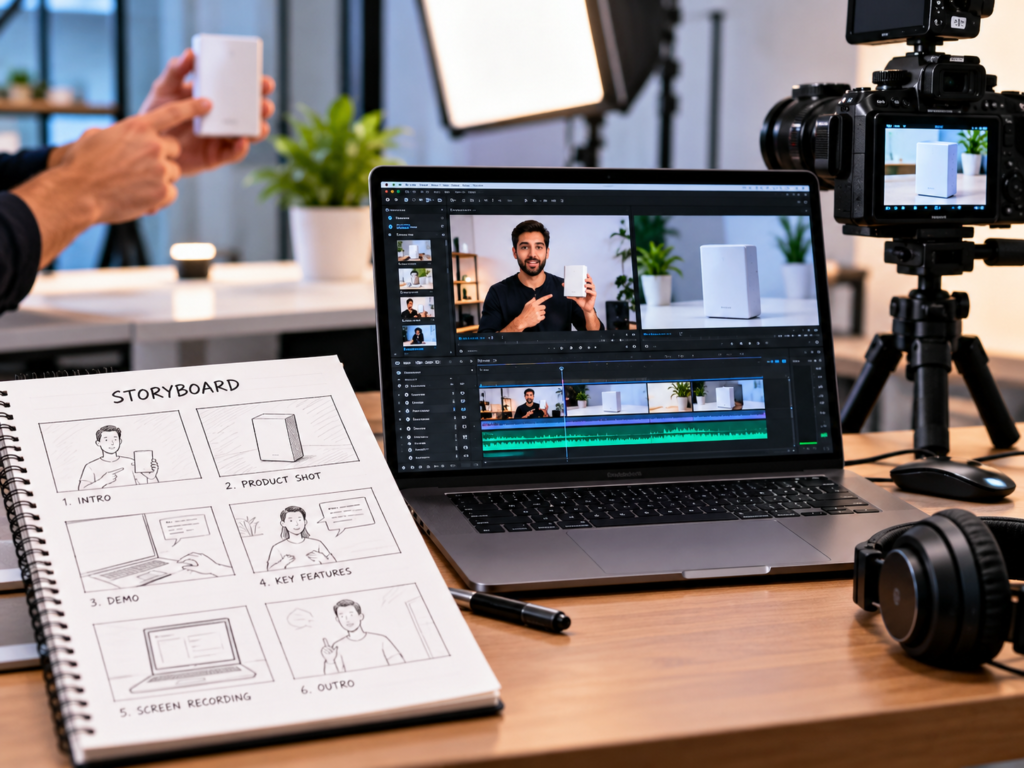
A product demo video does one job really well: it shows people what your product does and why it’s worth their time. For software, that might mean a guided walkthrough of the interface. For a physical product, it might mean showing the product in use, from unboxing to results. For a service or platform, it might combine screens, animation, and voiceover.
Done well, a demo video answers questions before customers ask them, shortens the explanation your sales team has to give, and gives visitors a quick way to understand your product. Done badly, it’s long, vague, or full of features nobody asked about.
This guide explains how to create a product demo video, from planning and scripting to filming or recording, editing, publishing, and measuring results. It’s written for founders, marketers, and product teams who want clear, professional demos without wasting time or budget.
What Is a Product Demo Video?
A product demo video is a short video that demonstrates how a product works and what it does for the user. It focuses on the product itself, showing real features, real use, and real results, rather than just describing them.
It’s different from other video types in an important way:
- A brand video tells your story and values.
- An explainer video explains an idea, a problem, or a concept, often with animation.
- A testimonial video shows customers sharing their experience.
- A product demo video shows the product in action.
In practice, these often overlap. Many demo videos use short explainer-style intros, and some include customer comments. What defines a demo is that the product is front and centre.
Why Product Demo Videos Work
- They show instead of tell. Seeing a product in use builds understanding quickly.
- They reduce uncertainty. Buyers can judge fit, quality, and usability before committing.
- They support sales. Prospects can watch before a call, and sales teams can share them in follow-ups.
- They reduce support questions. Clear demos answer common “how does it work?” questions.
- They’re reusable. One demo can live on your website, product pages, social media, email, ads, and sales decks.
Step 1: Define the Goal and Audience
Start with two questions:
- Who is this video for? A first-time visitor, a qualified lead, a new customer, or an existing user learning a feature?
- What should they do afterward? Sign up, book a call, buy, start a trial, or explore a specific feature?
Different audiences need different demos:
- Awareness demo: short, simple, focused on the main benefit
- Consideration demo: more detailed, showing key features and use cases
- Sales demo: tailored to a prospect’s needs, often longer
- Onboarding or tutorial demo: step-by-step guidance for new users
Choose one main purpose per video. Trying to serve every audience in one video usually leaves everyone underserved.
Step 2: Choose the Right Type of Demo Video
Pick a format that suits your product.
Screen-recording walkthrough
Common for software and apps. It shows the interface in action with a voiceover or captions, guiding viewers through a task.
Live-action product demo
Common for physical products. It shows the product being used, handled, and tested, often with close-ups and real settings.
Animated demo
Useful when the product is hard to film, still in development, or involves a process that isn’t visible. Options include a 2D explainer video for services and software, or a 3D explainer video for physical or technical products where you want to show internal parts, features, or processes clearly.
Hybrid demo
Combines screen recordings, live action, animation, and text. Many professional demos use this approach, with motion graphics to highlight key points and keep the pace engaging.
Customer-led demo
Real customers show how they use the product. Creator-style UGC videos often feel authentic and work well on social platforms and ads.
If you’d rather have a team plan and produce the video for you, professionally produced product demo videos are a common route for products that need a polished, consistent result.
Step 3: Identify the Key Messages
Don’t try to show everything. List your product’s features and benefits, then choose the ones that matter most to your audience.
- Main benefit: What’s the one thing the viewer should remember?
- Two or three supporting features: What makes it work or sets it apart?
- Proof: What shows it works, such as a result, a before-and-after, or a quick example?
- Objections: What concerns might hold buyers back, such as complexity, price, or compatibility?
A useful rule is to focus on what the product helps the user do, not just what it has. “Create invoices in under a minute” says more than “has an invoice module.”
Step 4: Write the Script
A script keeps the video focused and saves time in editing. A simple structure works for most demos:
- Hook (first few seconds): State the problem or main benefit. Don’t spend time on a long logo intro.
- Context (briefly): Who it’s for and what it helps with.
- Demonstration: Show the key steps or features in a logical order.
- Proof or result: Show the outcome.
- Call to action: Tell viewers exactly what to do next.
Scripting tips
- Write the way people speak, and read it aloud.
- Use short sentences and plain language.
- Describe what viewers are seeing, but also why it matters.
- Avoid jargon unless your audience uses it daily.
- Keep it as short as it can be while still doing the job.
- Match narration to what’s on screen, so viewers aren’t listening to one thing and seeing another.
Step 5: Plan the Visuals and Storyboard
Plan what viewers will see at each point in the script.
For software demos
- Decide the exact workflow you’ll show, from start to finish
- Prepare demo data that looks realistic and clean
- Plan where to zoom in, highlight, or add text
- Decide which screens are essential and which can be skipped
For physical product demos
- Plan shots: wide, medium, close-up, and in-use
- Choose locations and settings that fit your customer’s life
- Decide which features need close-ups
- Prepare props, packaging, and accessories
- Plan any before-and-after or comparison moments
For animated demos
- Create a storyboard showing each scene
- Decide on the visual style, colours, and characters or product renders
- Plan transitions and on-screen text
A storyboard or shot list doesn’t need to be elaborate. A simple table of scene, visual, and narration is often enough.
Step 6: Prepare for Recording or Filming
Screen recording preparation
- Clean your screen. Close unrelated tabs, hide notifications, and tidy the desktop.
- Use a clean demo account with realistic, appropriate data. Avoid exposing real customer information.
- Check the resolution. Record at a high enough resolution that text is readable, and consider zooming in on important areas.
- Rehearse the flow so clicks and transitions are smooth.
- Make the cursor visible and deliberate, moving it calmly rather than rapidly.
- Check that the product is stable and the features you’ll show work as expected.
Filming preparation for physical products
- Lighting: Use natural window light or soft, even lighting. Avoid harsh reflections on shiny surfaces.
- Background: Keep it clean and relevant to the product.
- Camera stability: Use a tripod or stabiliser.
- Audio: Use a clip-on or small shotgun microphone if you’ll have speech, and record in a quiet space.
- Product condition: Clean the product and prepare spare units, in case of marks or issues.
- Hands and people: Plan who will demonstrate the product and rehearse the actions.
For general tips on shooting and editing, see [How to Make Professional Videos for Business].
Step 7: Record the Voiceover or Narration
Audio quality shapes how professional the video feels.
- Record in a quiet room with minimal echo.
- Use a decent microphone placed at a consistent distance.
- Speak at a steady, natural pace, with clear emphasis on key points.
- Record in short sections, so mistakes are easy to fix.
- Consider a professional voice artist for a polished result.
If you’d rather not use voiceover, you can use on-screen text and music, though narration usually makes demos clearer.
Step 8: Edit the Video
Editing turns raw footage into a clear, engaging demo.
- Trim aggressively. Cut pauses, repeated clicks, loading time, and anything that doesn’t support the message.
- Keep the pace brisk. Speed up routine actions or use jump cuts for slow steps.
- Zoom and highlight. Draw attention to the exact button, field, or feature being shown.
- Add on-screen text for key steps, benefits, and labels.
- Use captions. Many people watch without sound, and captions improve accessibility.
- Balance audio. Keep music low enough that narration is easy to hear.
- Add simple transitions. Subtle cuts and fades usually look more professional than flashy effects.
- Check colour and clarity. Make sure screens and products look sharp and true to life.
- Export the right versions. You may need a widescreen version for your website and YouTube, plus square or vertical cuts for social media.
Step 9: Keep It On Brand
A professional demo should look like part of your brand. Use your logo, colours, typography, and tone consistently in titles, captions, and end screens. A defined brand identity makes this straightforward, and reusable graphic design templates for title cards, lower-thirds, and end screens speed up production for future videos.
Step 10: Choose the Right Length
Demo length depends on the audience and purpose.
- Short (around 30 to 90 seconds): Good for websites, social media, and ads. Focus on the main benefit and one or two features.
- Medium (a few minutes): Suitable for product pages and consideration-stage viewers who want more detail.
- Long (several minutes or more): Useful for detailed walkthroughs, onboarding, or sales demos for complex products.
These are rough guides, not rules. A video should be as long as it needs to be and no longer. If you have several audiences, create several videos rather than one long one, and consider adding chapters so viewers can jump to what they need.
Step 11: Publish and Place It Where It Matters
A demo helps only if people see it. Place it where decisions happen:
- Homepage and product pages: Often the most effective placement, since visitors are already interested.
- Landing pages: Add a demo to support ad and campaign pages. Good web design and development helps you place and load videos in ways that don’t slow the page.
- Online store product pages: Video can help shoppers understand features and sizing. Reliable e-commerce development lets you embed video cleanly alongside product details.
- In-app or onboarding flows: Short guided videos can help new users get started. Thoughtful UI/UX design decides where videos help rather than interrupt.
- YouTube: Useful for search visibility and longer demos. Write a clear title, description, and thumbnail.
- Social media: Share short cuts with captions. Consistent social media marketing helps you keep demo content circulating.
- Email and sales outreach: Include a thumbnail and link in follow-ups and nurture sequences.
- Paid ads: Short demo clips work well as ad creative. Structured performance marketing lets you test which cuts and messages perform best.
A documented content strategy can help you plan a series of demos, such as one per feature, use case, or audience.
Step 12: Measure and Improve
Track how your demo performs against its goal.
| Goal | Useful measures |
|---|---|
| Awareness | Views, reach, watch time |
| Engagement | Retention, completion rate, likes, shares, comments |
| Interest | Clicks to product pages, trial or demo requests |
| Conversion | Sign-ups, purchases, bookings after viewing |
| Sales support | Whether prospects who watch convert or progress faster |
| Support | Reduction in repeated “how does it work?” questions |
Look at where viewers drop off. If most leave in the first few seconds, rework your opening. If they watch to the end but don’t act, strengthen the call to action or the page they land on. Update the video when features, pricing, or interfaces change so it doesn’t mislead viewers.
Common Mistakes When Creating a Product Demo Video
- Starting without a goal or audience. The video ends up unfocused.
- Showing too many features. Prioritise what matters most to the viewer.
- Starting with a long intro. Lead with the benefit or problem.
- Talking about features instead of benefits. Explain why each feature matters.
- Poor audio. Bad sound makes even good visuals feel amateur.
- Cluttered screens or messy environments. They distract from the product.
- Going too fast or too slow. Match pace to the audience’s familiarity.
- Skipping captions. Many viewers watch without sound.
- No call to action. Viewers need a clear next step.
- Letting the video go out of date. Outdated demos create confusion and reduce trust.
- Hiding the video. Place it where visitors will actually see it.
- Not tracking results. You can’t improve what you can’t measure.
When to Hire a Professional Team
You can produce simple demos in-house, particularly screen recordings and quick product clips. Consider professional help when:
- The product is complex and needs animation or visualisation
- The video is for a launch, major campaign, or investor presentation
- You need consistent quality across a series of videos
- You lack scripting, filming, or editing experience
- The product isn’t ready to film, and you need a render or animation
- You want strategy and creative direction alongside production
If you’re weighing the investment, our guide [How Much Does Video Production Cost?] explains what affects pricing and how to compare quotes.
A Quick Product Demo Video Checklist
- Clear goal and audience
- Demo type chosen to fit the product
- Key messages prioritised
- Script with a hook, demonstration, proof, and call to action
- Storyboard or shot list prepared
- Clean screens or well-lit, tidy filming setup
- Clear, high-quality audio
- Tight edit with captions, highlights, and on-brand graphics
- Versions exported for each platform
- Video placed on key pages and channels
- Measurement plan in place
- Review date to keep it up to date
Final Thought
A great product demo video is clear, focused, and useful. It opens with the benefit, shows the product doing something valuable, and tells the viewer what to do next. Start with a clear goal, keep the story simple, invest in clean audio and visuals, and put the finished video where your customers will actually see it.
If you’d like help planning, scripting, animating, or producing product demos that fit your brand, talk to Akkenna.
FAQ
How do I create a product demo video? Define your goal and audience, choose a demo format, identify key messages, write a short script, plan visuals, record or film with clean audio and visuals, edit tightly with captions and branding, publish where it matters, and measure results.
How long should a product demo video be? It depends on the purpose and audience. Short videos of roughly 30 to 90 seconds suit websites and social media, while detailed walkthroughs and sales demos can run longer. Keep it as short as it can be while still doing its job.
What should be included in a product demo video? A clear hook, the main benefit, a demonstration of key features, proof or results, and a call to action. Focus on what the product helps users do rather than listing every feature.
What equipment do I need to make a product demo video? For screen recordings, you need recording software and a good microphone. For physical products, a smartphone or camera, tripod, lighting, and a microphone are a good starting point, plus editing software.
Should I use voiceover in a product demo video? Usually yes. Narration helps explain what’s happening and why it matters. If you skip it, use clear on-screen text and captions.
Can I make a product demo video before the product is finished? Yes. Animated demos, mockups, or product renders can show how a product will work, which is useful for pre-launch marketing and fundraising. Be clear about what’s available now and what’s planned.
What’s the difference between a product demo and an explainer video? A product demo shows the actual product in use, while an explainer video explains an idea, problem, or concept, often using animation. Many videos combine both approaches.
Where should I place a product demo video? On your homepage, product and landing pages, YouTube, social media, email, sales presentations, onboarding flows, and in paid ads, depending on your goals.
