How to Shoot a Commercial Video: A Practical Step-by-Step Guide
A commercial video has one job: to make people notice something and do something about it. That might mean remembering a brand, trying a product, visiting a store, booking a service, or clicking an ad. The best commercials do this in seconds, with a clear idea, strong visuals, and a message that sticks.
Shooting one is more than pointing a camera at a product. It involves strategy, scripting, planning, casting, locations, lighting, sound, direction, editing, and distribution, and a mistake at any stage can be costly. This guide explains how to shoot a commercial video from brief to final delivery, whether you’re a business producing one in-house, a marketer briefing a production team, or a founder trying to understand what’s involved.
What Is a Commercial Video?
A commercial video is a video created to promote a product, service, brand, or offer. It’s usually short, designed for a specific audience and platform, and built around a single message and call to action.
Commercial videos appear in many places:
- Television and cinema advertising
- Social media ads and Reels
- YouTube pre-roll and in-stream ads
- Website homepage and landing page videos
- Retail screens, events, and exhibitions
- Email and sales presentations
They differ from other video types in purpose. A product demo video explains how something works, and a review video evaluates it. A commercial is built to persuade, usually with more emphasis on concept, emotion, and brand impact.
Step 1: Start With the Brief
Every strong commercial starts with a clear brief. Without one, shoots drift, budgets grow, and the final video lacks focus. Your brief should answer:
- Objective: What should the commercial achieve? Awareness, a product launch, sales, leads, app installs, footfall?
- Audience: Who is it for? What do they care about, and where will they see it?
- Key message: What’s the one main thing viewers should remember?
- Product or service: What’s being promoted, and what makes it different?
- Tone and style: Emotional, humorous, premium, energetic, simple, or authentic?
- Platforms and formats: Where will it run, and in what lengths and shapes?
- Budget and timeline: What are the limits and deadlines?
- Mandatories: Logos, legal lines, offers, brand colours, or claims that must appear.
- References: Examples of commercials you like and why.
A commercial built on a clear positioning performs better, because the message has something specific to say. If your positioning isn’t settled, working through brand strategy first helps define what the commercial should communicate and to whom.
Step 2: Develop the Concept
The concept is the creative idea that carries the message. Strong concepts are simple, memorable, and relevant to the product.
Common approaches include:
- Problem and solution: Show a frustration, then how the product fixes it
- Story-led: A short narrative that builds emotion around the brand
- Demonstration: Show the product doing something impressive
- Testimonial or real-people: Customers or users share their experience
- Lifestyle: Show the world the brand belongs to
- Humour: Use a funny situation to make the message memorable
- Visual spectacle: Use striking imagery and sound to create impact
Test your concept by asking: Can I explain it in one sentence? Does it communicate the key message? Would it still make sense with the sound off? Does it feel true to the brand?
Step 3: Write the Script and Storyboard
The script
Commercials are short, so every second counts. A common structure is:
- Hook: Grab attention in the first few seconds.
- Problem or context: Show why it matters.
- Solution: Introduce the product or service.
- Proof or benefit: Show what it delivers.
- Call to action: Say what viewers should do next.
Write for the ear. Keep lines short, natural, and clear, and read the script aloud. Plan for different lengths too, such as a main version and shorter cut-downs for social media.
The storyboard
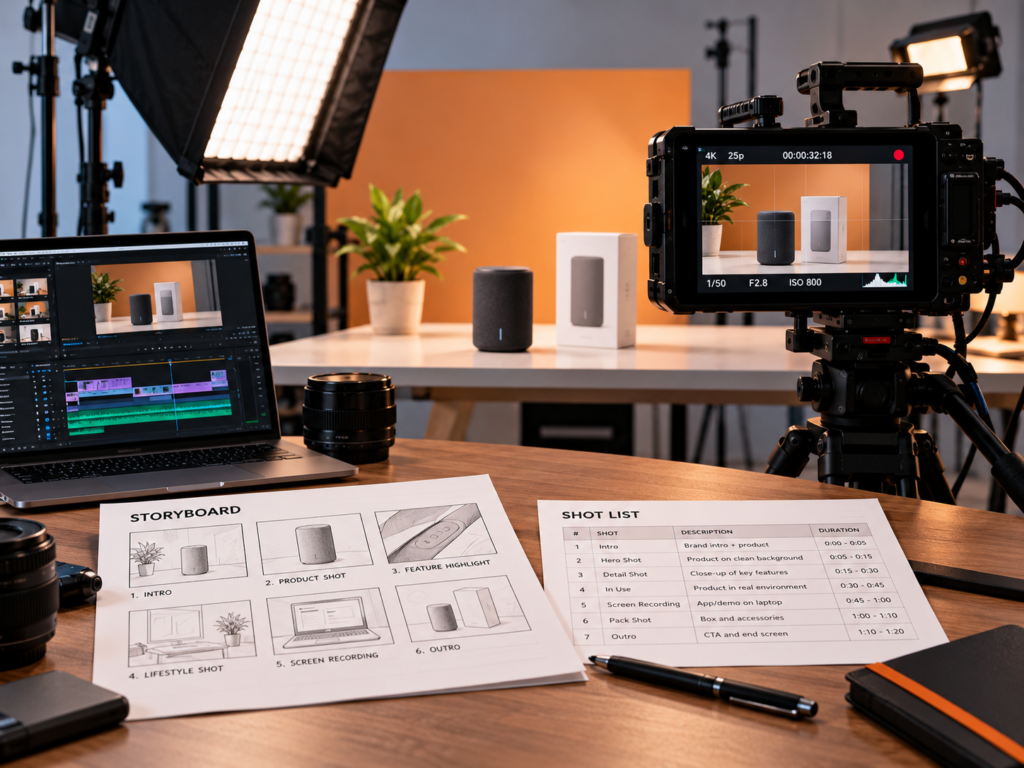
A storyboard sketches each shot in order, showing framing, action, and notes on dialogue or sound. It helps everyone, from the client to the crew, understand the plan before the camera rolls. It doesn’t have to be a polished drawing. Simple frames with notes work well.
The shot list
From the storyboard, create a shot list: a numbered list of every shot, with details such as shot size, angle, movement, location, props, and talent. This becomes your day-to-day guide on set.
Step 4: Plan the Production
Good planning prevents most problems on shoot day.
Budget
List all costs: crew, equipment, locations, talent, props, wardrobe, catering, transport, insurance, music licensing, post-production, and a contingency. A modest buffer protects you against surprises. For a breakdown of what affects pricing, see [How Much Does Video Production Cost?].
Crew
Depending on scale, a commercial crew might include:
- Director: leads the creative vision on set
- Producer or production manager: handles schedule, budget, and logistics
- Director of photography (cinematographer): manages camera and lighting
- Camera operator and assistants
- Gaffer and lighting team
- Sound recordist
- Production designer, stylist, and make-up
- Editor and colourist (in post-production)
Smaller shoots combine roles. Even a minimal setup benefits from someone clearly responsible for each area.
Casting and talent
Choose people who suit the brand and the audience. Decide whether you need professional actors, models, real customers, or your own team. Agree on fees, usage terms, duration, and exclusivity, and get signed releases for everyone who appears on camera.
Locations
Find locations that fit the story and are practical for filming. Check for:
- Lighting and available natural light
- Noise from traffic, machinery, or crowds
- Space for crew and equipment
- Power access and facilities
- Permission to film, including permits where needed
- Parking and loading access
Visit in advance when you can. For public places and some private properties, check the permissions required with the relevant authority or owner. Requirements vary by location.
Props, wardrobe, and set
Prepare the product, packaging, props, costumes, and any set dressing. Have spares of the product, since marks, scratches, and malfunctions happen. Make sure every item that appears on camera matches the brand and message.
Equipment
Plan camera, lenses, lighting, grip, audio, and monitoring based on the look you want. Many commercials are shot with professional cinema cameras, but a high-quality mirrorless camera or even a modern smartphone can work for smaller projects, particularly for social media. What matters most is lighting, framing, audio, and a clear creative plan.
Schedule
Create a shooting schedule listing scenes, locations, times, cast and crew calls, and breaks. Group scenes by location to avoid unnecessary moves, and leave time for setup and unexpected delays.
Legal and compliance
Before shooting, consider:
- Talent releases and location agreements
- Music, footage, and font licensing
- Trademarks and third-party logos that may appear on camera
- Insurance for crew, equipment, and public liability, if required
- Advertising rules for your category and platform. In India, bodies such as ASCI set standards for advertising claims, and certain categories and broadcast channels have additional requirements. Check the current rules before you finalise claims
Step 5: Set Up and Shoot
On shoot day, the plan meets reality. A few principles help.
Lighting
Lighting shapes mood and quality more than almost anything else.
- Use soft, flattering light for people and many products, with a key light, fill, and back or rim light for depth.
- Control reflections on shiny products such as glass, metal, and jewellery.
- Match the look to the tone, with bright and clean for fresh brands, moody and contrasted for premium ones.
- Use natural light intentionally, and bring in reflectors and diffusers to shape it.
- Keep colour temperatures consistent across shots.
Camera and framing
- Choose the right shot sizes: wide shots to set the scene, medium shots for action, and close-ups for detail and emotion.
- Use steady, deliberate movement. A tripod, slider, gimbal, or dolly gives smooth motion. Handheld can add energy, but use it consistently.
- Compose with care. Use the rule of thirds, leading lines, and depth to guide the eye.
- Frame for multiple formats. If the commercial will also run vertically or square, keep key action within a safe area that works in each.
- Shoot at a suitable frame rate and resolution for your delivery needs, and consider slow motion for key moments.
Product shots
Product shots are the heart of many commercials.
- Clean the product thoroughly before filming
- Use macro or close-up lenses to show texture and detail
- Show the product in use as well as on its own
- Capture the logo and key features clearly
- Control reflections and fingerprints
- Shoot hero shots with extra care and multiple takes
Audio
Poor sound can ruin an otherwise good commercial.
- Record clean dialogue with a lavalier or boom microphone
- Capture ambient sound and key effects separately
- Monitor audio with headphones while recording
- Plan to record voiceover and add music in post-production
Directing talent
- Explain the scene’s purpose and emotion, not just the action
- Give clear, simple direction and encourage natural performance
- Shoot multiple takes with small variations
- Keep the set calm and focused, particularly with non-professional talent
- Take breaks to maintain energy
Coverage and extra footage
Shoot more than you think you need: alternate angles, close-ups, cutaways, reaction shots, and clean plates. Extra coverage gives the editor options and makes it easy to create shorter versions.
On-set checklist
- Review the shot list and priorities for the day
- Test audio and camera settings before each setup
- Check continuity, including costume, props, and positioning
- Log takes and notes
- Back up footage on multiple drives as you go
- Keep an eye on time and flag any changes early
Step 6: Post-Production
After the shoot, the commercial takes shape in the edit.
Editing
- Assemble the story following the script and storyboard
- Choose the strongest takes for performance and technical quality
- Control pace. Tight cuts keep attention, while lingering shots add emotion
- Cut to the strongest ending and call to action
- Create multiple versions, including main cuts, shorter versions, and different aspect ratios
Colour grading
Colour correction and grading make shots consistent and give the commercial its final look. Match skin tones, balance exposure, and set a visual style that supports the brand.
Sound design and music
- Clean and balance dialogue
- Add sound effects that support the visuals
- Choose licensed music that fits the tone and pace
- Mix voiceover, music, and effects so everything is clear
- Check how the commercial sounds on phone speakers and headphones, not only studio monitors
Graphics and animation
Titles, logos, offers, and on-screen text should follow your brand style. Animated elements and motion graphics can add polish, highlight key points, and bring data or offers to life. Where a scene is difficult to film, an animated 2D explainer video or 3D explainer video sequence can fill the gap.
Captions and accessibility
Add captions for people watching without sound, and consider accessibility needs, such as readable text size and contrast.
Review and approval
Share a rough cut, then a fine cut, then the final version with stakeholders. Give clear, consolidated feedback in each round, and agree on revision limits in advance to keep the project on schedule.
Step 7: Keep the Commercial On Brand
A commercial should feel like it belongs to your brand even before the logo appears. Check that:
- Colours, typography, and graphics follow your guidelines
- The tone of voice matches your brand personality
- The logo is shown clearly, at the right moments
- The visual style fits your wider marketing
A defined brand identity makes this easy, and reusable graphic design templates for end cards, lower-thirds, and offer screens keep your commercials consistent across campaigns.
Step 8: Deliver and Distribute
Export and prepare the right versions for each channel.
- Website: Place the commercial where visitors are deciding. Well-built web design and development lets you feature video without slowing pages.
- Social media: Prepare square and vertical cuts with captions. Regular social media marketing keeps your commercial content circulating.
- Paid ads: Test different cuts, hooks, and calls to action. Structured performance marketing helps connect ad spend to results.
- YouTube and video platforms: Optimise titles, descriptions, and thumbnails.
- TV, cinema, and out-of-home: Follow the technical delivery specifications and clearance requirements for each medium.
- Email, sales, and events: Reuse the commercial in presentations, campaigns, and exhibitions.
Plan your distribution and a content strategy for supporting content before the shoot, so you capture the footage, stills, and behind-the-scenes material you’ll need.
Step 9: Measure the Results
Judge the commercial against the objective you set in the brief.
| Objective | Useful measures |
|---|---|
| Awareness | Views, reach, watch time, brand recall or search lift |
| Engagement | Completion rate, shares, comments, saves |
| Traffic | Click-through rate, website visits |
| Leads and sales | Enquiries, purchases, cost per result, return on ad spend |
| Footfall | Store visits, bookings, coupon redemptions |
Look at which cuts, hooks, and audiences perform best, then apply those lessons to your next commercial.
DIY or Hire a Production Team?
You can shoot a simple commercial yourself, especially for social media, with a smartphone, a tripod, a microphone, decent lighting, and a clear plan. For more complex projects, a professional team brings creative development, experienced crew, equipment, project management, and post-production capacity.
Consider hiring when:
- The commercial is for a major launch, brand campaign, or broadcast placement
- You need actors, multiple locations, or complex lighting
- You want animation, 3D, or visual effects
- You need several formats and cut-downs
- You lack the time or experience to manage the process
For smaller, authentic-style content, creator-style UGC videos can be a lighter-weight alternative. For general shooting and editing tips, see [How to Make Professional Videos for Business].
Common Mistakes When Shooting a Commercial Video
- Starting without a clear brief. The video lacks focus and direction.
- Trying to say too much. One main message is easier to remember.
- Weak opening. If the first few seconds don’t hook viewers, many won’t stay.
- Skipping the storyboard and shot list. Shoot days become chaotic and expensive.
- Ignoring audio. Bad sound makes a commercial look amateur.
- Poor lighting and cluttered frames. They distract from the product.
- Not shooting for multiple formats. You’ll struggle to create social cuts later.
- Forgetting legal clearances. Releases, permits, and music licences matter.
- Overspending on the shoot and underspending on distribution. A great commercial no one sees doesn’t help.
- No call to action. Viewers need to know what to do next.
- Inconsistent branding. The commercial should look and sound like your brand.
- No contingency. Unexpected costs and delays are common.
A Quick Commercial Shoot Checklist
- Brief with objective, audience, message, and formats
- Concept tested against the key message
- Script, storyboard, and shot list finalised
- Budget, schedule, and contingency set
- Crew, talent, locations, and permissions confirmed
- Releases, licences, and compliance checks completed
- Equipment, props, and wardrobe prepared, with spares
- Lighting, audio, and framing planned for each setup
- Extra coverage captured, and footage backed up
- Edit, colour, sound, and graphics completed
- Versions exported for every platform
- Distribution and measurement plan ready
Final Thought
Shooting a commercial video is about clarity as much as craft. Start with a sharp brief and a simple idea, plan thoroughly, light and frame with intent, capture clean sound, and edit with discipline. Then put the finished commercial where your audience will see it, and measure what it achieves.
If you’d like help developing a concept, producing a commercial, or creating animated and video content that fits your brand, talk to Akkenna.
FAQ
How do you shoot a commercial video? Start with a clear brief and concept, write a script and storyboard, plan the budget, crew, talent, and locations, shoot with careful lighting, framing, and audio, edit with colour and sound, create versions for each platform, and distribute and measure results.
What equipment do I need to shoot a commercial video? For professional shoots, a cinema or high-quality mirrorless camera, lenses, lighting, grip, and audio equipment. For smaller projects, a modern smartphone, tripod, microphone, and good lighting can work well.
How long should a commercial video be? It depends on the platform and message. Social ads are often short and focused, while brand films and broadcast commercials can be longer. Plan a main cut and shorter versions.
How much does it cost to shoot a commercial video? Costs vary widely depending on crew, talent, locations, equipment, post-production, and licensing. Define your scope and request itemised quotes to compare options fairly.
Do I need permits to film a commercial? It depends on where you’re filming. Public spaces and some private locations require permission. Check requirements with the relevant authority or property owner before shooting.
Can I shoot a commercial with a smartphone? Yes, for many social and web uses. Good lighting, clean audio, stable framing, and a strong concept matter more than the camera.
What’s the difference between a commercial and a product demo video? A commercial is built to persuade and build brand impact, often with a creative concept. A product demo shows how a product works and what it does.
How do I make a commercial video more effective? Focus on one clear message, grab attention quickly, show the product in action, keep branding consistent, include a clear call to action, and test different versions with your audience.
