How to Make Professional Videos for Business: A Practical Step-by-Step Guide
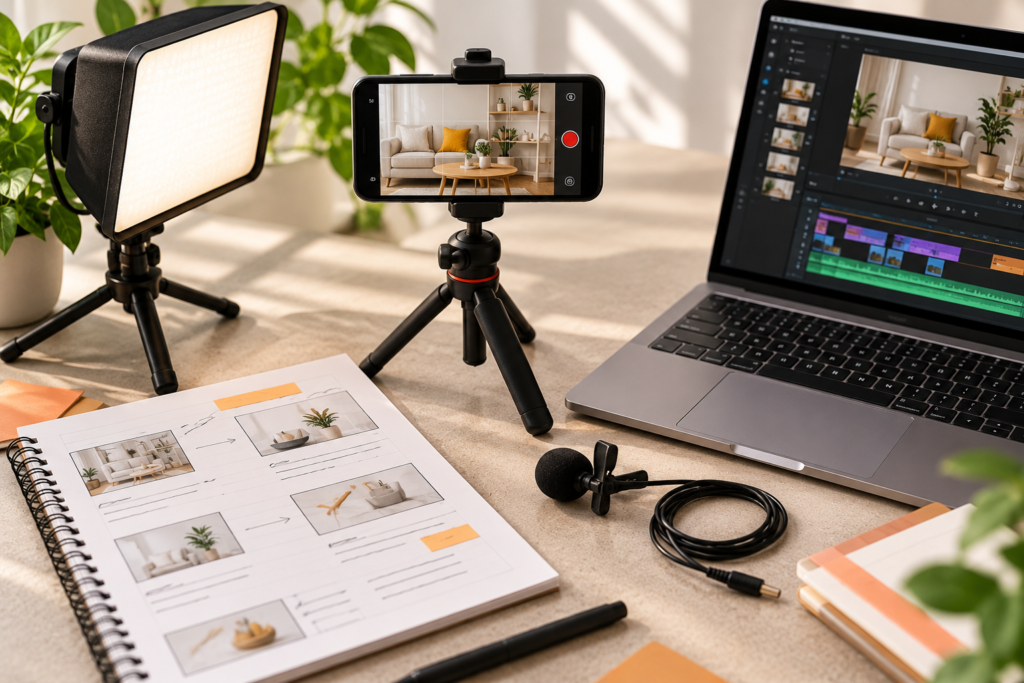
A professional video doesn’t need a film crew or a huge budget. What separates a professional business video from an amateur one is rarely the camera. It’s the planning, the clarity of the message, clean audio, steady framing, good lighting, tidy editing, and a clear next step for the viewer.
This guide walks through how to make professional videos for business, from defining the goal to publishing and measuring results. It covers what you can do in-house with a phone and a small kit, and when it makes sense to bring in a production team.
What Makes a Business Video Look Professional?
Before the how-to, it helps to know what viewers actually notice. In most business videos, the elements that signal quality are:
- A clear purpose. The video knows who it’s for and what it should achieve.
- Clean, clear audio. People forgive average visuals more readily than poor sound.
- Steady, well-framed shots. No shaky footage, awkward cropping, or distracting backgrounds.
- Good lighting. Faces and products are clearly visible and naturally lit.
- Tight editing. No long pauses, rambling, or unnecessary footage.
- Consistent branding. Logo, colours, fonts, and tone match the rest of your brand.
- Readable text and captions. Many people watch with the sound off.
- A clear call to action. Viewers know what to do next.
Step 1: Define the Goal and the Audience
Every professional video starts with two answers:
- What should this video achieve? Awareness, leads, product understanding, customer education, hiring, or sales.
- Who is it for? A prospect who’s never heard of you needs a different video from an existing customer or a job candidate.
Be specific. “Promote our business” is too broad. “Help new prospects understand how our service works and book a consultation” gives you a clear brief. The goal also determines the length, tone, and where the video will live.
Step 2: Choose the Right Type of Video
Different goals suit different formats. Common business video types include:
- Brand or company story videos that explain who you are and what you stand for
- Product or service demos that show how something works
- Explainer videos that simplify an idea or process
- Customer testimonials and case studies that build trust
- Social media clips and Reels for reach and engagement
- Behind-the-scenes and team videos that humanise the brand
- Tutorials and how-to videos that educate and support customers
- Ads and campaign videos for paid promotion
Some of these are easier to produce in-house than others. Talking-head clips, quick demos, and behind-the-scenes content are usually within reach of a small team. Animated, scripted, or heavily produced formats often benefit from specialists. For example, a 2D explainer video is a good way to explain a service or software product without needing a live shoot, while a 3D explainer video suits products that need to be visualised in detail. Motion graphics work well for data, intros, and branded social content.
Step 3: Write the Script and Plan the Shots
Planning is where most of the quality comes from. A little time here saves a lot in editing.
Write a simple script
- Hook. Open with the problem, a question, or the most interesting point. Don’t spend the first ten seconds on a long introduction.
- Core message. Keep to one main idea per video.
- Proof. Add an example, a result, a demo, or a customer quote.
- Call to action. Tell viewers exactly what to do next.
Write the way people speak. Read it aloud, and cut anything that sounds stiff. Shorter is usually better, so trim until every line earns its place.
Create a shot list or storyboard
List the scenes you need, what will be on screen, and where each will be filmed. For product videos, plan close-ups, wide shots, and action shots. For interviews, plan the main camera angle and cutaway footage (called B-roll) to keep the visuals interesting.
Plan the logistics
Decide the location, date, people involved, props, and permissions. Check that the space is quiet and has enough light.
Step 4: Get the Basic Equipment
You don’t need expensive gear, but a few items make a visible difference.
Camera
A recent smartphone can shoot good video. Use the rear camera, clean the lens, and shoot at the highest quality your phone supports. Film horizontally for websites and YouTube, and vertically for Reels, Shorts, and Stories, or plan for both.
Stability
A tripod or phone stand removes shake. A small gimbal can help for moving shots.
Audio
This is the single biggest upgrade you can make. A clip-on lavalier microphone or a small shotgun mic usually sounds far better than a phone’s built-in microphone. Record in a quiet room, away from fans, traffic, and echo.
Lighting
Natural light from a window is a good starting point. Face the window rather than having it behind you. If you need more control, a simple softbox or LED panel helps create even light. Avoid harsh overhead lighting and mixed colour temperatures.
Background
Choose a tidy, uncluttered background that suits your brand. Avoid distracting objects, logos you don’t want shown, and visible clutter.
Step 5: Shoot With Care
On the day of filming:
- Test audio first. Record a short sample and listen with headphones.
- Frame your subject well. Leave a little space above the head, and keep eyes roughly on the upper third of the frame.
- Keep the camera steady. Use a tripod where possible.
- Shoot extra footage. Capture B-roll, close-ups, and alternate takes for editing.
- Do multiple takes. Don’t settle for the first attempt if it feels rushed.
- Speak naturally. For talking-head videos, look at the lens, not the screen, and relax.
- Watch the time. Taking breaks keeps energy up and helps avoid fatigue.
If you’re using customers or creators for authentic content, creator-style UGC videos can give you a natural feel that works well for ads and social platforms, with less production overhead than a full shoot.
Step 6: Edit for Clarity and Pace
Editing turns raw footage into a finished video.
- Trim aggressively. Cut pauses, repetition, and anything that doesn’t support the message.
- Keep the pace tight. Short scenes and clean cuts keep attention.
- Use B-roll to cover cuts and illustrate points.
- Fix the audio. Balance voice and music, reduce background noise, and make sure music doesn’t overpower speech.
- Correct colour. Match shots so skin tones and lighting look consistent.
- Add captions or subtitles. They improve accessibility and help viewers who watch without sound.
- Add simple graphics. Titles, lower-thirds (name labels), and key points on screen help comprehension.
- Export in the right formats. Different platforms need different shapes and sizes, such as horizontal, vertical, and square.
You can edit with a range of free and paid software, from beginner-friendly mobile apps to professional desktop tools. Choose what you can use consistently, and keep your editing style simple.
Step 7: Keep the Video On Brand
Professional videos look like they belong to a business. Consistency matters:
- Use your logo, brand colours, and fonts in titles and graphics.
- Keep the tone of voice aligned with your brand.
- Create reusable templates for intros, lower-thirds, end cards, and captions.
- Use consistent music and sound style.
A defined brand identity makes this easy, because video graphics can follow the same visual rules as your website and social posts. Consistent graphic design assets, such as thumbnails and title cards, help every video look like part of the same family.
Step 8: Add a Clear Call to Action
Every business video should leave the viewer with a next step. Examples include:
- “Book a free consultation”
- “Visit our website for pricing”
- “Download the guide”
- “Follow for more tips”
- “Reply to this email with your questions”
Make the call to action specific, visible, and easy to follow. On your own pages, a well-designed site helps turn video views into enquiries, and web design and development can make sure the video sits where visitors will actually see it and act.
Step 9: Publish and Distribute
A video only works if people see it. Think about distribution before you finish production.
- Website: Place videos on your homepage, service pages, and product pages where they support decisions.
- YouTube: Useful for search visibility and longer content. Write a clear title, description, and thumbnail.
- Instagram, Facebook, and LinkedIn: Cut shorter versions with captions for each platform’s format.
- Email: Include a video thumbnail and link to increase interest.
- Sales and presentations: Use videos in proposals, onboarding, and follow-ups.
- Paid promotion: Boost your best-performing videos to reach more of the right people.
Regular social media marketing keeps your video content circulating, and structured performance marketing helps connect video spend to results such as enquiries or sales.
Step 10: Measure and Improve
Check how your videos perform and use the findings to improve the next one. Useful measures include:
- Views and reach: how many people saw it
- Watch time and retention: how long people stay, and where they drop off
- Engagement: likes, comments, shares, and saves
- Click-throughs: how many people clicked your link or call to action
- Conversions: enquiries, sign-ups, or sales that followed
If viewers drop off early, rework your opening. If they watch but don’t act, strengthen the call to action or the page they land on.
When to Hire a Professional Video Production Team
DIY works well for many videos, but it’s worth bringing in professionals when:
- The video represents your brand at a high-stakes moment, such as a launch, flagship campaign, or investor presentation
- You need animation, motion graphics, or 3D visuals
- The project requires multiple locations, actors, or complex lighting
- You need a consistent stream of high-quality videos and don’t have time to produce them
- Your team lacks editing or scripting experience
- You want strategy and creative direction alongside production
If you’re weighing the investment, our guide [How Much Does Video Production Cost?] explains what affects pricing and how to compare quotes. For software, apps, or services that are hard to show live, professionally produced product demo videos can explain value clearly and consistently.
Common Mistakes When Making Business Videos
- Starting without a goal. Unfocused videos are hard to measure and rarely effective.
- Ignoring audio. Poor sound is one of the quickest ways to make a video feel amateur.
- Making it too long. Cover one idea well instead of everything at once.
- Reading a script stiffly. Natural delivery builds trust.
- Poor lighting and cluttered backgrounds. They distract from the message.
- Skipping captions. Many viewers watch without sound.
- Forgetting the call to action. Viewers need a next step.
- Inconsistent branding. Each video should look like it belongs to the same business.
- Not planning distribution. A great video that isn’t promoted won’t reach its audience.
- Treating video as a one-off. Consistent video content tends to build more recognition than isolated pieces. A documented content strategy helps you plan a series rather than a single video.
A Quick Professional Video Checklist
- Clear goal and audience
- Video type matched to the goal
- Short script with a hook, message, proof, and call to action
- Shot list or storyboard
- Clean audio and steady, well-lit footage
- Tight editing with captions
- Branded titles, colours, and graphics
- Correct formats for each platform
- Distribution plan
- Measurement plan
Final Thought
Professional business video comes down to preparation and consistency more than expensive equipment. Start with a clear goal, plan the script and shots, capture clean audio and light, edit with discipline, and put the finished video where your audience will see it.
If you’d like help with scripting, animation, product demos, or a consistent video content plan, talk to Akkenna.
FAQ
How do I make professional videos for my business? Define your goal and audience, write a short script, plan your shots, capture clean audio and good lighting, edit tightly with captions and branding, add a call to action, and publish where your audience will see it.
Can I make professional business videos with a smartphone? Yes. A modern smartphone shoots good-quality video. A tripod, a clip-on microphone, and decent lighting make a bigger difference than upgrading the camera.
What equipment do I need for business videos? At minimum: a smartphone or camera, a tripod, a microphone, and good lighting, such as natural window light or a simple softbox. Add editing software and a quiet space to record.
How long should a business video be? It depends on the purpose and platform. Social clips are usually short and focused, while explainers and demos can be longer. Make it as long as it needs to be and no longer.
What types of videos work best for business? Product demos, explainers, testimonials, behind-the-scenes content, tutorials, and short social clips are all common and effective. The best type depends on your goal and audience.
Do I need captions on business videos? It’s recommended. Captions help people who watch without sound and improve accessibility.
Should I hire a video production company or do it myself? Do it yourself for simple, informal content where speed matters. Hire professionals for high-stakes, animated, or complex videos, or when you need consistent quality and creative direction.
How do I promote my business videos? Publish them on your website, YouTube, and social platforms, share them in email and sales material, cut shorter versions for each channel, and consider paid promotion for top performers.
