How to Advertise on WhatsApp for Business: A Practical Step-by-Step Guide
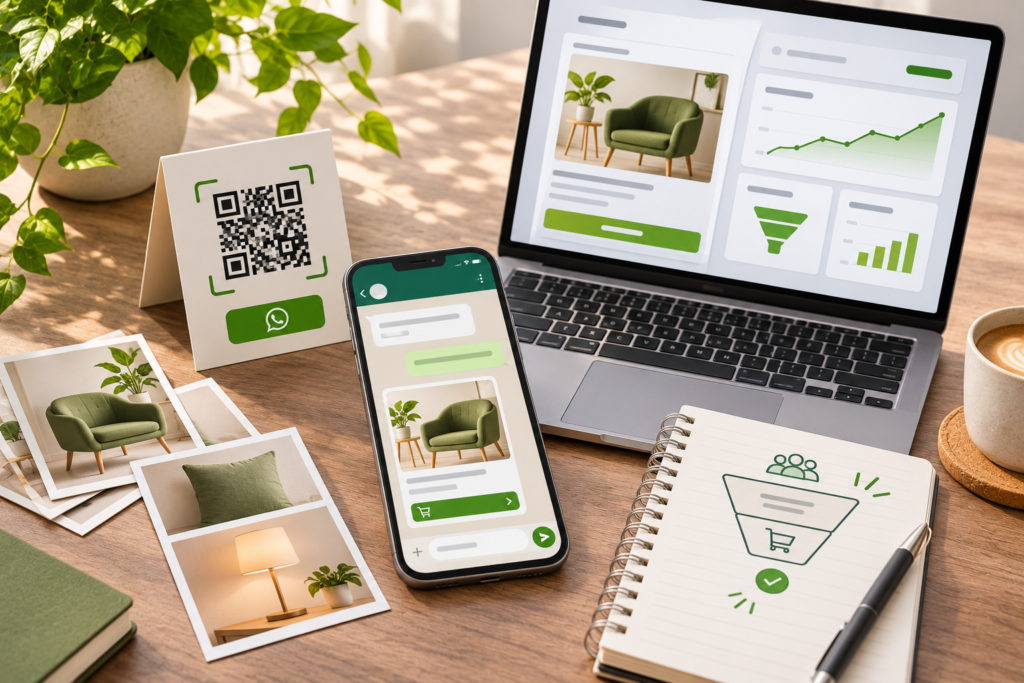
In India and many other markets, WhatsApp isn’t just a messaging app. It’s where customers ask about prices, confirm orders, share photos of what they want, and expect quick replies. For many small businesses, it’s already the main sales conversation.
The question is how to move from answering the occasional message to actually advertising and growing through WhatsApp, without spamming people or getting blocked. This guide explains how to advertise on WhatsApp for business: the different ways to reach customers, how to set up properly, how click-to-WhatsApp ads work, how to use catalogues, Status, Channels, and message campaigns, and what the rules require.
A note first: WhatsApp’s features, pricing, and policies change often, and they differ by country and by whether you use the WhatsApp Business app or the WhatsApp Business Platform. Check WhatsApp’s and Meta’s current documentation before building a campaign around any specific feature.
What Does “Advertising on WhatsApp” Actually Mean?
There’s no single “WhatsApp ad” button. Businesses promote themselves through WhatsApp in several different ways:
- Click-to-WhatsApp ads. Ads run on Facebook, Instagram, or other Meta placements that open a WhatsApp chat with your business when someone taps them.
- Direct conversations and customer lists. Chatting with people who’ve contacted you or given permission to hear from you.
- Marketing and notification messages. Sending approved, opt-in messages such as offers, updates, and order notifications, mainly through the WhatsApp Business Platform.
- Status and Channels. Posting updates that customers who follow or save you can see.
- Catalogues and product sharing. Showing products inside WhatsApp so customers can browse and enquire.
- In-app ad formats. Meta has been introducing ad and promotion options inside parts of WhatsApp, such as the Updates area, with availability varying by market and time.
Most businesses combine two or three of these. The common thread is permission and relevance: WhatsApp is a personal space, so promotion that feels like spam can quickly lead to blocks, reports, and restrictions.
WhatsApp Business App vs WhatsApp Business Platform
Before you start, understand which tool fits your size and needs.
WhatsApp Business app
A free app designed for small businesses, used on a phone (and linked devices). It typically offers:
- A business profile with address, hours, website, and description
- A product or service catalogue
- Quick replies for common questions
- Greeting and away messages
- Labels to organise chats and customers
- Basic statistics on messages
- Broadcast lists, where recipients receive your message only if they have your number saved
It’s a good starting point for small teams that handle conversations manually.
WhatsApp Business Platform
An interface for medium and large businesses, accessed through approved providers. It typically offers:
- Multiple agents and integration with CRM and support tools
- Automation, chatbots, and workflows
- Approved message templates for sending notifications and marketing messages to opted-in customers
- Greater scale and reporting
- Paid, per-message pricing in many cases, which varies by message type and country
Choose the Platform if you need team inboxes, automation, high volumes, or integration with your website, store, or CRM. Many businesses start with the app and move to the Platform as they grow.
Step 1: Set Clear Goals
Decide what you want WhatsApp to do:
- Generate enquiries and leads
- Convert enquiries into orders
- Support existing customers
- Share offers and new arrivals with people who’ve opted in
- Send order and delivery updates
- Bring back past customers
Different goals need different tactics. A restaurant might focus on orders and daily specials, a jeweller on private previews for existing customers, and a service business on quick quotes and bookings.
Step 2: Set Up Your Business Profile Properly
Customers judge a business by its profile before they decide to chat. Complete everything:
- Business name and logo: Use your real business name and a clear profile image
- Description: What you offer and who you serve, in simple words
- Category, address, and hours: Accurate details
- Website and social links: For credibility and more information
- Catalogue: Products or services with images, descriptions, and prices where suitable
- Greeting and away messages: Set expectations for response times
- Quick replies: Pre-written answers to common questions
A recognisable brand identity helps, since your logo and visual style appear in your profile, catalogue, and shared images. Consistent graphic design for product cards, offer posters, and catalogue images keeps what customers see on WhatsApp aligned with your website and social media.
Step 3: Build a Permission-Based Audience
The foundation of WhatsApp marketing is people who want to hear from you. WhatsApp’s business policies require that you obtain permission before sending marketing messages, and customers can block and report you if you don’t.
Ways to build an opted-in audience:
- Click-to-chat links and QR codes: On your website, packaging, bills, store signage, and social profiles
- Website forms: With a clear checkbox asking permission to contact via WhatsApp, explaining what you’ll send
- In-store sign-ups: Ask customers if they’d like updates, and record consent
- Social media: Invite people to message you from your profiles and ads
- Existing customers: Only message those who’ve given appropriate consent
Never buy phone number lists, scrape numbers, or add people to groups without consent. Follow applicable data-protection rules, and give people an easy way to opt out. In India, privacy and consent requirements are evolving, so check current rules with a legal adviser.
Step 4: Run Click-to-WhatsApp Ads
Click-to-WhatsApp ads are the most direct way to advertise “on” WhatsApp. They appear on Facebook, Instagram, and other Meta placements, and when someone taps the button, a WhatsApp chat with your business opens.
Why they work
- They reduce friction. Instead of filling out a form, people can just start a conversation.
- They suit high-consideration purchases and services where customers want to ask questions first.
- They fit markets where messaging is the default way to talk to businesses.
How to set them up
- Link your accounts. Connect your WhatsApp Business account with your Facebook Page and Meta ad account, following Meta’s current setup steps.
- Choose the right campaign objective in Meta’s Ads Manager, such as messages or engagement, where a WhatsApp destination is available.
- Select your audience: location, age, interests, or customer lists.
- Create strong ad creative: a clear image or short video with a simple promise.
- Set the call-to-action to send a WhatsApp message.
- Write an opening message that will appear in the chat, such as “Hi, I’d like to know more about the festive collection.”
- Set up automated greetings and quick replies so customers get an instant response.
- Set your budget and schedule, then launch.
Make the ads work harder
- Be specific about the offer: “Get a free site-visit estimate” is better than “Contact us.”
- Show the product or result clearly: People should know what they’ll get if they message.
- Prepare your replies: Quick, helpful answers make the difference between a chat that sells and one that dies.
- Qualify leads in the chat: Ask a few simple questions about needs, budget, or timeline.
- Test different creatives and audiences: Short videos, customer photos, and offers can perform very differently.
Structured performance marketing helps manage targeting, creative testing, and tracking, and it connects ad spend to results such as qualified chats, orders, and bookings, not just clicks. For campaign structure and creative ideas, see [How to Advertise a Product on Social Media: A Practical Step-by-Step Guide], and for platform specifics, [How to Market Your Business on Facebook].
Step 5: Use Your Catalogue to Showcase Products and Services
A catalogue lets customers browse inside WhatsApp, which makes enquiries and orders faster.
- Add clear photos for each item, ideally on consistent backgrounds
- Write short, accurate descriptions
- Include prices where appropriate
- Group items into collections, such as new arrivals, best-sellers, or festive picks
- Link to your website for more detail
- Keep stock and prices updated
If you also sell online, your website should support the same products and ordering path. Reliable e-commerce development and a well-built site through web design and development let customers move easily between WhatsApp, your store, and checkout.
Step 6: Use Status and Channels for Updates
WhatsApp Status
Status updates disappear after a set time and are visible to contacts who have your number saved. Businesses use them for:
- New arrivals, daily specials, and limited-time offers
- Short product demonstration videos
- Behind-the-scenes clips
- Customer photos, with permission
- Event reminders
Keep posts visual, simple, and not too frequent. Many people check Status casually, so short, scannable content works best.
WhatsApp Channels
Channels are a one-way broadcast tool where people can follow your updates without sharing their phone number. They’re useful for regular announcements, tips, offers, and news, particularly for businesses with a wider audience. Followers can choose to join, so content needs to be genuinely useful.
Short videos work well in both formats. Simple motion graphics can make offers and announcements stand out, and creator-style UGC videos show real customers using your product.
Step 7: Send Marketing and Notification Messages Responsibly
On the Business app
- Broadcast lists let you send a message to many contacts at once, but only people who have saved your number will receive it, and many businesses cap lists at a limited number of recipients. Use them for relevant, opted-in updates, not mass blasts.
- Personalise messages where possible, using the customer’s name and relevant context.
On the Business Platform
Businesses can send template messages to opted-in customers outside the usual conversation window. Common categories include:
- Utility messages: order confirmations, delivery updates, appointment reminders, and payment receipts
- Marketing messages: offers, new product announcements, and promotions
- Authentication messages: verification codes
Templates must be approved by WhatsApp, and sending is usually charged per message according to current pricing, which varies by category and country. Check the current pricing and policy details before planning volumes.
Message best practices
- Get opt-in first. Always.
- Keep it short and relevant. One clear message and one call to action.
- Segment your audience. Send offers to people who care about them.
- Limit frequency. Too many messages drive blocks and opt-outs.
- Use good timing. Avoid late nights and early mornings.
- Include an easy opt-out. Respect it immediately.
- Use visuals carefully. An attractive image, short video, or product card can help, but keep file sizes manageable.
- Never send misleading or prohibited content. Follow WhatsApp’s commerce and business policies.
Step 8: Turn Conversations Into Sales
Advertising only works if conversations convert. Build a simple process:
- Reply quickly. Set expectations in your greeting message, and aim to respond promptly during business hours.
- Use quick replies and templates for common questions, but personalise where it counts.
- Ask a few qualifying questions to understand what the customer wants.
- Share the right catalogue items, links, or quotes.
- Make it easy to take the next step: a payment link, booking, site visit, or call.
- Follow up politely if a customer goes quiet, without being pushy.
- Use labels to track leads, orders, and follow-ups.
- Hand off to humans when automation can’t help.
Many leads that start on WhatsApp are lost because replies are slow or generic. A clear process, and a team that knows it, makes a major difference.
Step 9: Use Automation, But Keep It Human
Automation can save time and keep response times fast.
- Greeting and away messages acknowledge new chats and set expectations
- Quick replies answer FAQs
- Chatbots and workflows (on the Platform) can handle simple queries, collect details, and route chats to the right person
- Order and delivery notifications keep customers informed
Keep automation helpful, not frustrating. Always give customers an easy way to reach a person, and don’t use bots to disguise a lack of customer service.
Step 10: Create Content That Fits WhatsApp
WhatsApp is personal and quick, so content should be short, useful, and visual.
- Offers and launches: clear, with dates and conditions
- New arrivals and restocks: with photos or short videos
- Helpful tips and guides: simple, practical information
- Order and service updates: timely and reassuring
- Festival and occasion messages: relevant and warm, not generic
- Behind-the-scenes and stories: build connection
- Customer reviews and photos: social proof, with permission
A content strategy helps you plan what to send, to whom, and when, so your WhatsApp activity supports your wider marketing. Consistent social media marketing can drive people from Instagram and Facebook into WhatsApp conversations.
Step 11: Connect WhatsApp to the Rest of Your Marketing
WhatsApp works best as part of a connected system.
- Website: Add click-to-chat buttons, and make sure landing pages match ad messages. Thoughtful UI/UX design makes it easy for visitors to start a chat from any page.
- Social media: Add WhatsApp links to your bios, posts, and Stories.
- Packaging and printed materials: Include QR codes that open a chat.
- Email and SMS: Invite subscribers to join your WhatsApp updates.
- Store or office: Display QR codes at billing counters, tables, and reception.
- CRM and sales tools: Record leads and track conversations on the Platform, or at least in a simple spreadsheet.
Step 12: Measure and Improve
Track what matters, and respect privacy while doing so.
| Goal | Useful measures |
|---|---|
| Ad performance | Cost per conversation started, cost per qualified lead |
| Response quality | Average first-response time, reply rate |
| Engagement | Messages read, replies, catalogue views, link clicks |
| Sales | Orders, bookings, revenue from WhatsApp conversations |
| Audience health | Opt-ins, opt-outs, blocks, reports |
| Retention | Repeat purchases, customer feedback |
If many people block you or ignore your messages, your content, frequency, or targeting may need adjusting. Test different offers, formats, and send times, and keep what works.
WhatsApp Marketing Ideas by Type of Business
- Retail and fashion: New arrival previews, styling photos, restock alerts, and private sales for loyal customers.
- Restaurants and cafes: Daily specials, order links, table booking, and festive menus.
- Jewellery and luxury: Private previews, custom design enquiries, and occasion reminders.
- Real estate: Brochures, location pins, site-visit scheduling, and project updates.
- Education and training: Course information, demo class invitations, and enrolment reminders.
- Healthcare and wellness: Appointment reminders and general information, following privacy and advertising rules.
- Services and B2B: Quotes, project updates, and quick support.
- Online stores: Cart reminders (with consent), order updates, and customer service.
Compliance and Policy Essentials
- Follow WhatsApp’s Business and Commerce Policies. Some products and categories are restricted.
- Get and record opt-in. Don’t message people who haven’t agreed.
- Respect opt-outs and blocks.
- Protect customer data. Store contacts and conversations securely, and use them only for stated purposes.
- Don’t spam. Excessive or irrelevant messaging can lead to restrictions or bans.
- Be honest in your claims. Advertising standards apply, such as those published by ASCI in India.
- Check sector rules. Regulated sectors such as healthcare, finance, and real estate have extra requirements.
Common Mistakes When Advertising on WhatsApp
- Messaging people without consent. It leads to blocks and possible account restrictions.
- Buying or scraping contact lists. It breaches policy and trust.
- Sending too many messages. Frequency fatigue drives opt-outs.
- Slow replies. Ads generate chats, but only quick responses convert them.
- Sending generic mass messages. Segment and personalise.
- Poor catalogue images and descriptions. They reduce trust and conversion.
- No clear next step. Always give customers an easy action.
- Ignoring the website and landing pages. Mismatched messages lose leads.
- Over-relying on automation. Customers want human help when it matters.
- Not tracking results. You can’t improve what you don’t measure.
- Ignoring policies and privacy rules. It creates reputation and legal risks.
A Quick WhatsApp Advertising Checklist
- Goals and audience defined
- Right tool chosen: Business app or Platform
- Complete business profile, with logo, description, hours, and links
- Catalogue set up with clear images and descriptions
- Greeting, away messages, and quick replies ready
- Opt-in methods and consent records in place
- Click-to-WhatsApp ad campaign planned, with clear offer and creative
- Response process and team ready
- Status, Channels, and message content plan prepared
- Automation set up with easy human handoff
- QR codes and click-to-chat links added across channels
- Policy and privacy checks completed
- Measurement and monthly review scheduled
Final Thought
WhatsApp can be one of the most effective business channels precisely because it’s personal. The brands that succeed on it respect permission, respond quickly, send useful messages, and make buying as easy as sending a reply. Start with a complete profile and catalogue, drive conversations with click-to-WhatsApp ads and your existing channels, and build a follow-up process that turns chats into customers.
If you’d like help with branding, ad creative, landing pages, or setting up a WhatsApp-led marketing funnel, talk to Akkenna.
FAQ
How do I advertise on WhatsApp for business? Set up a complete WhatsApp Business profile and catalogue, build an opted-in audience, run click-to-WhatsApp ads on Facebook and Instagram, use Status and Channels for updates, send permission-based messages, and follow up on conversations quickly.
Can you run ads directly on WhatsApp? Most WhatsApp advertising works through click-to-WhatsApp ads on Facebook and Instagram that open a chat. Meta has also been introducing ad and promotion options inside parts of WhatsApp, and availability varies, so check Ads Manager for current options.
What is a click-to-WhatsApp ad? It’s an ad on Meta platforms with a button that opens a WhatsApp chat with your business, letting customers ask questions or place orders directly.
What’s the difference between WhatsApp Business app and Platform? The app is a free tool for small businesses with a profile, catalogue, quick replies, and labels. The Platform is for larger-scale use with multiple agents, automation, integrations, and approved message templates.
Is it legal to send marketing messages on WhatsApp? You need to follow WhatsApp’s policies and applicable laws, including obtaining consent before sending marketing messages and honouring opt-outs. Requirements vary by country, so check current rules with a legal adviser.
How do I get customers to opt in on WhatsApp? Use click-to-chat links, QR codes, website forms with clear consent checkboxes, in-store sign-ups, and social media invitations, and explain what you’ll send.
How much does it cost to advertise on WhatsApp? The Business app is free to use. Click-to-WhatsApp ads cost whatever you set in your ad budget, and Platform messages are often charged per message. Pricing changes, so check current rates.
How can I avoid being blocked or banned on WhatsApp? Message only people who’ve opted in, keep messages relevant and infrequent, segment your audience, respect opt-outs, follow WhatsApp’s policies, and never use bought or scraped lists.
