FUNCTIONAL TESTING · EXPLORATION · REGRESSION
Manual Software Testing
Test the journey. Record the detail.
Find the gaps between what an application should do and what a person can actually do with it. Akkenna scopes manual software testing around your important workflows, supported environments and release priorities, with clear findings your team can act on.
Based in Peelamedu, Coimbatore · Working with your product and development team.
01 / THE SCOPE
Cover the tasks that matter to the release.
Choose the testing activities around the application and its risks. The plan identifies what will be checked, the evidence required and the areas outside the engagement.
Functional checks
Compare agreed features with their acceptance criteria: inputs, rules, results and important error states.
Requirements · User journeys · Expected outcomes
Exploratory testing
Investigate the application with a focused charter. Follow unexpected behaviour, changing data and combinations that a scripted path may miss.
Charters · Observations · Follow-up questions
Regression testing
Revisit selected existing journeys after a change. Prioritise dependencies and business-critical functions rather than assuming every screen can be checked each time.
Change impact · Repeatable checks · Release scope
Usability observations
Record confusing labels, unclear feedback, inconsistent navigation and obstacles in the agreed tasks. Findings support product decisions; user research can be scoped separately.
Clarity · Navigation · Feedback
Browser and layout checks
Review the selected browsers, screen sizes and input methods. Document the tested combinations so a result is not mistaken for universal device coverage.
Browser matrix · Responsive layouts · Input states
Fix verification
Reproduce an issue on the agreed build, check the intended fix and revisit nearby behaviour where the change could have an effect.
Retest · Evidence · Closure status
02 / A PRACTICAL EXAMPLE
A test case should explain the decision.
Consider a quotation form. Useful checks describe the starting condition, action and expected behaviour before anyone runs them.
Illustrative quotation-form checks — not a completed client test report.
| Check | Starting point and action | Expected behaviour to agree |
|---|---|---|
| Required information | Leave a mandatory field empty and select Submit. | The form identifies the missing field and preserves the information already entered. |
| Duplicate action | Submit a valid request, then repeat the action. | The application handles the repeat consistently with the agreed duplicate-request rule. |
| Role access | Sign in as a user who should not approve quotations. | Approval controls and the underlying action respect that role’s permissions. |
| Interrupted response | Interrupt the request or simulate a delayed response in an approved test environment. | The user receives clear feedback and can recover without an uncertain duplicate submission. |
Actual test results belong in an execution record with the build, environment, steps, observed result and evidence. The examples above define possible checks; they do not report a pass or failure.
03 / HOW THE ENGAGEMENT WORKS
From the brief to a useful release summary.
Understand
Review requirements, priority journeys, known issues and the purpose of the release.Output: agreed test objectives and open questions.
Plan
Confirm the environments, roles, test data, coverage and feedback route.Output: test plan, access needs and execution schedule.
Exercise
Run the planned checks and exploratory sessions, recording the conditions and observed behaviour.Output: execution notes and reproducible findings.
Review and retest
Discuss findings with the team, clarify business impact and verify agreed fixes on the identified build.Output: updated issues and retest evidence.
Report
Summarise completed coverage, outstanding findings, untested areas and decisions needed for release.Output: a reviewable test summary, not a promise of defect-free software.
04 / WHAT YOU RECEIVE
Evidence your developers can use.
The written proposal defines the deliverables, execution effort, review rounds and handover included.
- 01
Test scope and coverage
A practical record of selected features, user roles, environments and exclusions.
- 02
Test cases and charters
Repeatable checks alongside focused exploratory questions.
- 03
Defect records
Steps to reproduce, expected and actual behaviour, environment, evidence and a proposed severity.
- 04
Execution and retest log
Which checks ran, which were blocked and what happened when a fix was reviewed.
- 05
Release summary
Important open findings, coverage limits and recommendations for the team making the release decision.
05 / CLEAR RESPONSIBILITIES
Agree the testing boundaries before work begins.
Environments and data
Use an agreed environment with representative sample data. Production checks require explicit scope and coordination, particularly when actions create orders or send notifications.
Severity and ownership
Define how impact and urgency are assessed, who answers product questions and who accepts or fixes each finding.
Specialist testing
Load testing, penetration testing, formal accessibility audits and regulatory assessment need their own methods, access and scope.
Release responsibility
Testing supplies evidence about the checked application. Your release owner decides how to handle remaining issues, dependencies and untested conditions.
06 / PRIORITISE THE WORK
Use manual effort where judgement matters.
Manual and automated checks can support the same release. The right split depends on the stability of the feature, the frequency of repetition and the value of human observation.
- ExploreUse human-led sessions for new features, uncertain requirements and unexpected combinations.
- RepeatConsider automation for stable, frequently repeated checks with clear expected outcomes.
- ReviewKeep test coverage current when features, dependencies or customer priorities change.
07 / RELATED DEVELOPMENT WORK
Applications with real business rules.
A quotation workflow brings together forms, user roles and document handling. This published development project provides useful application context; no separate testing result is claimed for it.
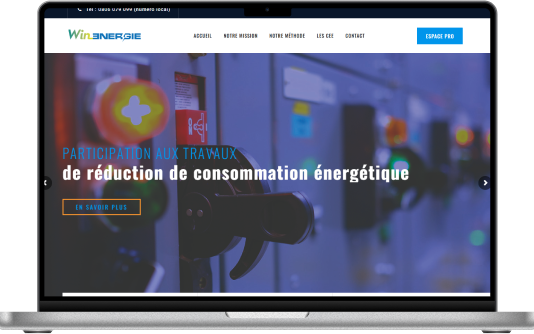
Win Energie
A custom CRM project covering installer matching, quotation workflows, different user roles and shared documentation.
Explore the development project08 / QUESTIONS BEFORE WE BEGIN
Make the scope clear before testing starts.
What is included in manual testing?
The proposal identifies the application areas, environments, user roles, activities, review rounds and deliverables. It can include functional checks, exploratory sessions, regression coverage and fix verification.
Can you test an application built by another team?
We can discuss an independent testing engagement. We first need an agreed environment, access, requirements or a walkthrough, and a route for clarifying issues with the development team.
Does manual testing replace automated testing?
The approaches serve different needs. Human judgement is useful for exploration and usability observations; automation can help repeat stable checks. The engagement can identify where each approach is useful.
Will you fix the issues you find?
Testing and development are separate responsibilities unless the proposal includes both. A testing engagement supplies reproducible findings; implementation and retest arrangements are agreed with your team.
Can testing guarantee there are no bugs?
No. Testing provides evidence within an agreed scope and set of conditions. The final report should make remaining issues and coverage limits clear.
What affects the cost and schedule?
Feature count, workflow complexity, supported environments, test-data readiness, access, release changes and retest rounds all affect the effort. Share these details for a defined scope.
09 / START WITH THE REQUIREMENT
Start with the journey you need confidence in.
Send the application, key user tasks, supported environments and release plans. We will help define a focused manual-testing engagement.
Akkenna · Peelamedu, Coimbatore · +91 99523 25513